Aadressi seaded (window)
Last updated: 27 April 2026
 Seaded > Aadressi seaded
In this article
Here you can specify what information the addresses should contain in the order reception and in the registers.
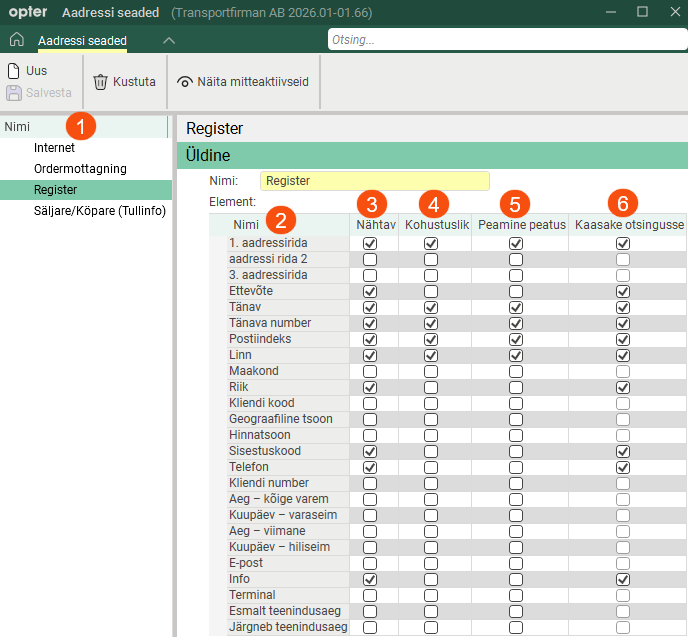
The address information consists of so-called address elements, such as Tänav and Tänava number. The address elements are listed under Nimi (2). In the columns on the right, there are tick boxes that you can tick or untick to control which address elements are displayed in the addresses (3), are mandatory (4), are key stops (5), and which address elements are included in the search (6).
First, select the setting you want to work with from the list on the left (1). Next, configure the settings for the address fields (2) by ticking or unticking the checkboxes in columns (3–6 in the image above).
The columns in the Aadressi seaded window are described in the table below.
|
Columns |
Description |
|---|---|
|
Nähtav |
|
|
Kohustuslik |
|
|
Peamine peatus |
To set other important stop orders, see tab Vormi vool in Tellimuse sisestamise seaded. For more information, see The tab order in order reception.
|
|
Kaasake otsingusse |
The address field appears as a column when you search for an address; see columns (A)–(H) in the image below.
The following fields cannot be included in the search: Geograafiline tsoon, Hinnatsoon, Aeg – kõige varem, Kuupäev – varaseim, Aeg – viimane and Kuupäev – hiliseim.
|
 : The address field is displayed.
 : The address element is not displayed.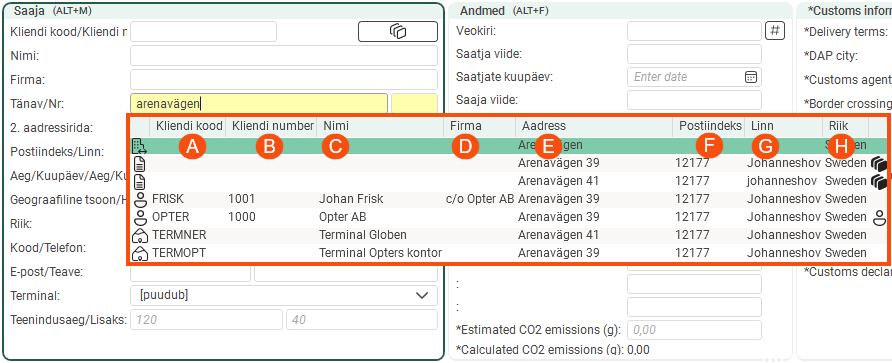
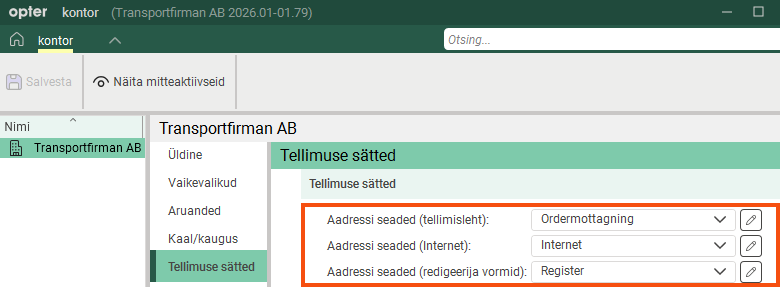
Office address settings
Select the address settings to be used as default for different address groups by clicking Seaded > Kontorid and the Tellimuse sätted tab. For more information, see kontor (window).
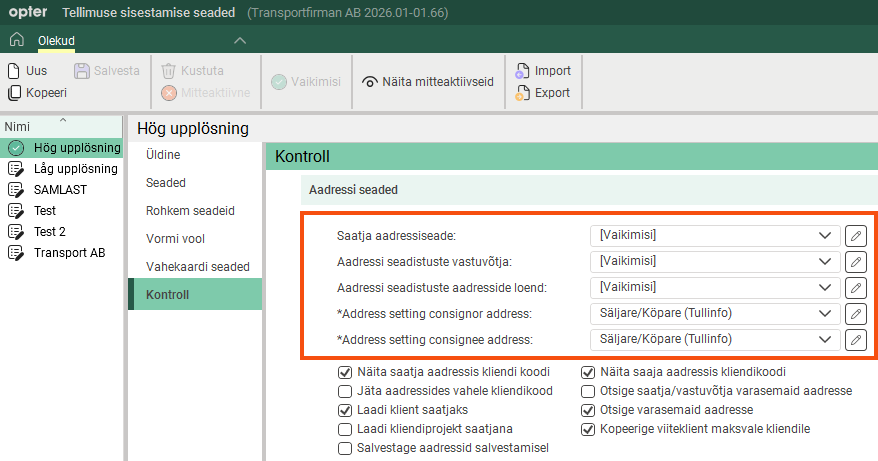
Address settings for order reception
Select the address settings to be used for different address groups in the order reception section on the Kontroll tab in the Tellimuse sisestamise seaded window. For more information, see Tellimuse sisestamise seaded (window).
Address settings for the customer web
In the Interneti-tellimuse seaded window on the Tellimuse registreerimine tab, select which address elements are to be displayed in address groups (such as Saatja and Saaja) on the Tellimus page of the customer web. Move the address elements (fields) you want to display to the list Kaasas. For more information, see Interneti-tellimuse seaded (window).

