Valikud (window)
Last updated: 16 January 2024
 Seaded > Valikud
In this article
In this window, you create options that the customer can use to order additional services on an order. Options can be linked to Price items in the price list, so you can charge for them. When an option is selected on an order, the price item is automatically added to a price item row.
You can move the options up and down the list on the left using the  and
and  buttons on the toolbar. The order is reflected wherever the options are displayed. If you make changes in this window, such as activating/deactivating an option or reordering the options, you will need to restart Opter for the changes to be visible in the price list editor.
Üldine
|
Function |
Description |
|---|---|
|
Kood |
Abbreviation used for identification. |
|
Nimi |
Descriptive name of the option. Database fields: DEO_Name |
|
Internet name |
To ensure that the option is displayed with a different name on the web, invoices and credits, enter that name here. If no internet name is entered, the option will be displayed with the name that was entered in the Nimi field above. |
|
Kirjeldus |
Free text field for internal notes. The description is not displayed anywhere else but here. |
|
Saadaval tellimuste jaoks |
The option is displayed and can be selected on orders in order reception. |
|
Saadaval sõidukitele |
The option is displayed under Valikud on the Mahutavus tab of the vehicle registry. |
|
Töötajatele saadaval |
Does not currently fulfil any function. |
|
Saadaval alltöövõtjatele |
The option is displayed under Valikud on the Raamatupidamine tab of the subcontractor registry. The options do not really have anything to do with the account coding, and the options you select will not appear anywhere else except in the subcontractor registry. |
|
Saadaval Internetist tellimiseks |
The options are displayed and can be selected in the order form on the web portals. Saadaval tellimuste jaoks must also be ticked for the options to appear on the web portals. |
|
Available for route optimisation |
Only applies if Plan shipments with options using vehicles that have the required capacity is selected in the route optimisation settings (see Marsruudi optimeerimise seaded (window)).
|
|
Saadaval saatmisel |
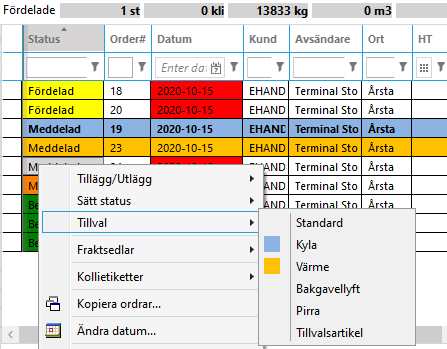
The option is displayed under Valikud when you right-click on a shipment in dispatch. |
|
Ootab valmimist |
The Lõpetatud checkbox is displayed next to the option in order reception. The order shipment is visible in dispatch only when the Lõpetatud checkbox is selected.
If you want to display orders whose options are incomplete in dispatch, even if Ootab valmimist is selected, go to the dispatch settings and select the Kaasa mittetäielike tarnevalikutega tellimused checkbox on the Vahekaardid > Sisu tab. |
|
Valmis arveldamiseks/krediteerimiseks, kui tehtud |
The order is marked as ready for invoicing and crediting when the Lõpetatud checkbox is selected in order reception. Ootab valmimist must be selected for this checkbox to be selectable. |
 : Route optimisation matches orders with this option with vehicles that have the required capacity. Mainly used for options that require vehicles with special equipment, such as refrigerated transport.
 : Orders with this option can be placed on any vehicle during route optimisation.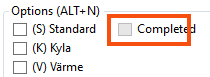
Värv
You can set it up so that shipments with options are highlighted with a text colour or background colour in the dispatch lists. If a shipment has several options, the colour of the option that comes first in the list is displayed.
|
Function |
Description |
|---|---|
|
Kasutage saatmisel värvi |
Orders with the options are marked with a text colour or background colour in the dispatch lists. If you select this checkbox and do not choose a colour for Teksti värv or Taustavärv, the shipments with this option will be entirely white in dispatch. |
|
Teksti värv |
Select a colour or enter the hexadecimal code for the colour in the text field. |
|
Taustavärv |
Select a colour or enter the hexadecimal code for the colour in the text field. |
Teenused
On this tab it can be specified that the option should not be available on orders with a specific service. This allows you to limit the number of options available on the orders.
The Välistatud list contains the services for which the option is not available. The Kaasas list contains the services for which the option is available. Double-click on the services to move them between the lists. In the text field above each list, it is possible to search for the name of the service.
By default, all options can be selected on all orders, i.e. all services are under Kaasas.
Marsruudi optimeerimise seaded
On this tab, route optimisation can be set to take into account the options on the shipments, so that shipments with a certain option are assigned to vehicles with the capacity for that option.
|
Function |
Description |
|---|---|
|
Checkboxes |
Enables/disables the setting. |
|
Seadistamine |
The settings are entered by hand:
|
|
Väärtus |
The name of the option that route optimisation should take into account. We recommend that the value is the same as the name of the option. It is possible to specify several values as a comma-separated list, for example: “Refrigeration, Heating, Tail lift”, but then it is not possible to control the function in the graphical user interface. |

