Hankija viide (window)
Last updated: 17 March 2026
 Register > Hankijad > Hankija viide
In this article
In this window, you can create personal user accounts for individual users at the hauliers. You can have a shared user account for all users at the haulage contractor’s (set up in the haulage contractor register) and personal user accounts for those who need them (set up here). For example, if some users require a different view or different functions to others (different internet order settings).For more information, see User accounts for the supplier web and Hankijad (window).
Teave
|
Function |
Description |
|---|---|
|
Nimi |
The user's first name. |
|
Telefon Mobiiltelefon |
The user's telephone number. |
|
E-post |
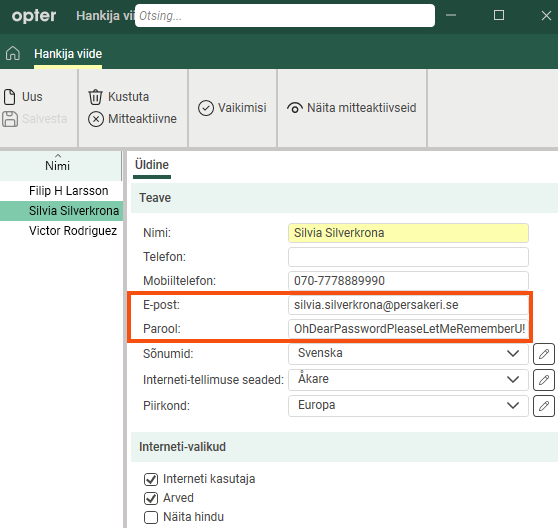
The email address will be the person’s username for logging in to the supplier web. |
|
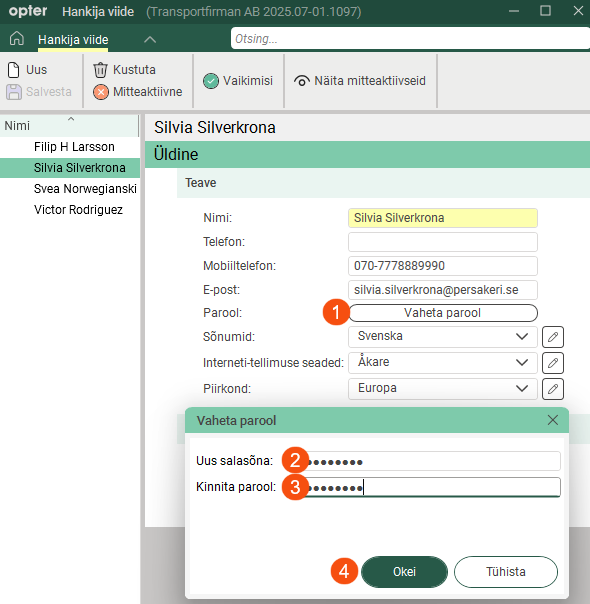
Vaheta parool (The button will be available from Opter 2025.12.00.) |
Password for logging in to the supplier web.
For more information, see User accounts for the supplier web and Introduction to the supplier web. |
|
Sõnumid |
If you wish to use specific notifications for this supplier reference, select a message group here. [Vaikimisi]: The message group that is selected by default in the window Sõnumid. |
|
Interneti-tellimuse seaded |
If you want to use a specific view and specific functions on the supplier web for this particular user, you can create a specific internet order setting for that purpose. (If you want to create a new internet order setting, click [Vaikimisi]: The setting in the driver register is used. |
|
Piirkond |
The region is preselected in the booking form when this user makes a booking on the transport portal. |

 to open the
 Interneti-valikud
|
Function |
Description |
|---|---|
|
Interneti kasutaja |
|
|
Arved |
Shows/hides the menu option Hankija arved on the supplier web. For more information, see User accounts for the supplier web and Interneti-tellimuse seaded (window). |
|
Näita hindu |
Shows/hides the price details at the top of the order form on the supplier web. For more information, see User accounts for the supplier web and Interneti-tellimuse seaded (window). |
 : Users can log in to the supplier web using their email address and password.
 : The user cannot log in to the supplier web (even though an email address and password have been entered above).
