Approving changes in dispatch
Last updated: 15 June 2023
In this article
It can be defined whether or not order changes and shipment changes made in Opter Driver must be manually approved in dispatch. For more information, seeSetting how changes made in Opter Driver are approved
If the system has been set up so that changes have to be approved before they are saved, proceed as follows to display the changes and then approve or reject them.
Step 1: Display the changes in dispatch
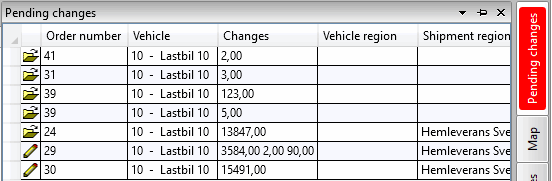
Click on the Ootel muudatused panel. All changes made in Opter Driver are displayed. The Sõiduk column shows which vehicle has made the change. If there are changes that have to be approved to be saved, the Ootel muudatused panel is red.
If the panel is not visible in dispatch, add it by clicking on the Vaade > Ootel muudatused menu tab.
Step 2: Approve or reject the changes
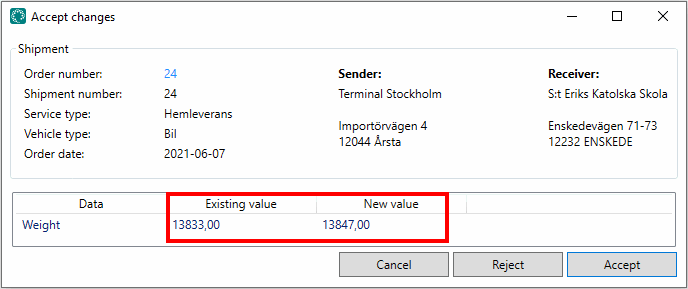
Double-click on a change (a row) to open it. In the example below, it is proposed to change the weight from 13,833 kg to 13,847 kg for order number 24.
To approve the change, click on Nõustu. The order is updated and the change is saved.
To reject the proposed change, click on Keeldu. The order is not updated and the change is not saved.