Assigning shipments to resources in dispatch
Last updated: 10 June 2022
In this article
In dispatch, shipments can be assigned to different resources, i.e. vehicles, drivers and subcontractors. Shipments can be assigned to resources in several different ways.
In the list
Select one or more shipments in any of the lists, drag and drop them onto a resource box or a subcontractor in the Alltöövõtjad panel.
To deselect the shipments you have selected, press Ctrl+D, or click on Lähtesta otsing (CTRL+D) in the menu Üldine.
On the map
Select the shipment on the map in dispatch, drag and drop it onto a vehicle on the map. The shipments can then undergo route optimisation straight away without having to select them in dispatch. This can be done as follows:
-
Select the shipments to assign on the map by holding down the Shift key and then clicking and dragging with the mouse so that they are surrounded by a square. To deselect the shipments, create a new square on the map over an area where there are no shipments.
-
Drag one of the highlighted shipments to a vehicle on the map, or to a resource box in dispatch. The shipments are assigned to that vehicle.
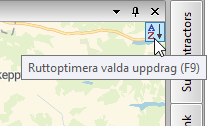
You can then open the Marsruudi optimeerimine window by clicking on the sorting icon at the top right of the map. The shipments you just allocated are then in the address list so you can Route optimise them or sort them manually.
To only view shipments that have not yet been assigned on the map, select Kuva kõik saadetised ilma ressurssideta from the Kaart menu and deselect all other options.

Manual
-
Select one or more shipments in dispatch and press Ctrl + M. The Käsitsi määramine window opens.
-
If one or more shipments have been selected with the same resource, that resource is already preselected. To allocate the shipment to that resource, click on OK. Otherwise, select a resource in one of the following ways:
-
If the resource is a driver, vehicle or subcontractor, enter the resource Kood in the field on the left or right-click on
 next to the field and select vehicle/driver (depending on what is being used as the primary resource) or subcontractor.
 -
If the resource is a trailer, enter the resource Kood in the field on the right, or right-click on
next to the field and select trailer.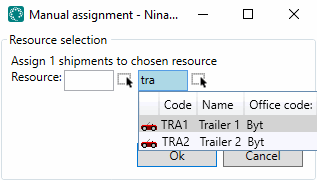
-
-
Click on OK.

