Unknown packages (window)
Last updated: 24 July 2026
 Order > Unknown packages
In this article
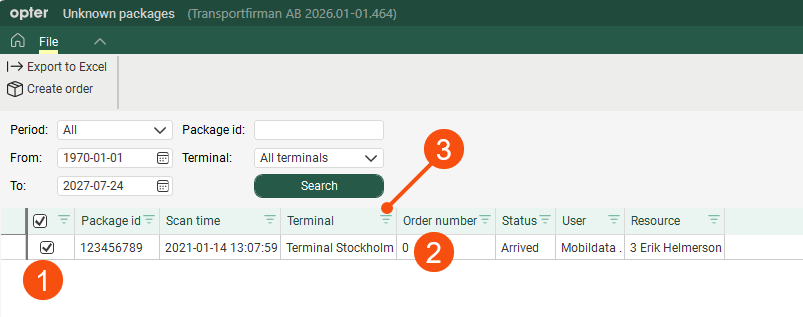
When a parcel is scanned and the parcel number either does not appear on any order, or appears on an order where the Ready for dispatch tick box has not been ticked, Opter regards it as unknown.
|
Function |
Description |
|---|---|
|
Period From To |
Search for unidentified parcels that were scanned at a specific time. |
|
Package id |
Search for a specific parcel or waybill number. |
|
Terminal |
Search for unidentified parcels that have been scanned at a specific terminal. If you search across all terminals, you can filter and sort the Terminal column to view unknown parcels for a specific terminal (3). |
|
Columns |
|
 : If parcels are not linked to any order in Opter, you can create an order for them by selecting them from the list and clicking
