Setting how status can be changed in Opter Driver for Android
Last updated: 18 January 2024
In this article
The default setting is for it to be possible to change the status of multiple orders at the same time in Opter Driver. However, you can set it up so that you can only change the status of one shipment at a time.
It can also be set whether drivers should be able to select any status in the life cycle, or just the next status in the life cycle. You can make exceptions for the statuses Korjatud and/or Kohale toimetatud, for example so that drivers can only change to Korjatud and/or Kohale toimetatud by scanning.
Proceed as follows to set how the status can be changed:
-
Click on Seaded > Mobiilne andmeside > Mobiilse andmeside seaded.
-
Click on a blank row in the Nimi column and then on the down arrow in the row being added.
-
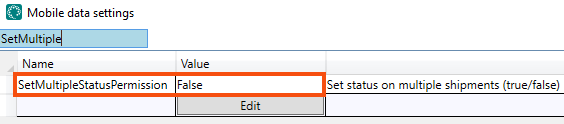
Select SetMultipleStatusPermission from the list.
-
Enter “True” or “False” in the Väärtus column as follows:
-
”True” (default): the driver can change the status of several shipments at the same time in the shipment list.
It is possible to define exceptions for the status Korjatud and/or Kohale toimetatud, so that the driver has to go into the detail view (one shipment at a time) in order to change the status to Korjatud and/or Kohale toimetatud. Set SetStatusPickedUpInShipmentListPermission and/or SetStatusDeliveredInShipmentListPermission to "False".
It is also possible to set whether drivers can change to the Korjatud and/or Kohale toimetatud status only by scanning. In this case, set ManualStatusChangePickUpPermission and/or ManualStatusChangeDeliveryPermission to "False". For more information, see Mobiilse andmeside seaded (window).
-
“False”: the driver cannot change the status of several shipments at the same time in the shipment list.
-
-
It can also be set whether drivers should be able to select any status in the life cycle, or just the next status in the life cycle.
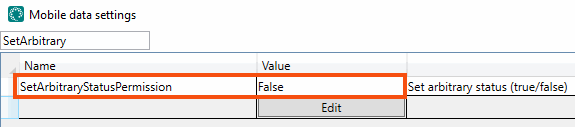
Select SetArbitraryStatusPermission from the list and enter “True” or “False” in the Väärtus column as follows:
-
”True” (default): The driver can select any status in the life cycle by pressing on the menu in the detail view and then Valige olek…. If SetMultipleStatusPermission is set to "True", the driver can also press Valige olek… in the shipment list menu, and then set any status on one or more shipments at the same time.
It is possible to define exceptions for the tabs Uus, Töös and/or Valmis in the shipment list. If both SetMultipleStatusPermission and SetArbitraryStatusPermission have been set to "True", but exceptions are to be defined for one or more tabs:
-
The Valmis tab, if SetArbitraryStatusDoneTabPermission is set to "False" then the drivers cannot change to any status of their choice on the Valmis tab. The default setting is “True”.
-
The Töös tab, if SetArbitraryStatusToDoTabPermission is set to "False" then the drivers cannot change to any status of their choice on the Töös tab. The default setting is “True”.
-
On the Uus tab, the default setting is that drivers are not allowed to change to any status of their choice. If drivers should be allowed to change to any status on the Uus tab, set SetArbitraryStatusNewTabPermission to "True".
-
-
“False”: The driver can only change the status to the next status in the life cycle. For example, if a shipment is currently in status Korjatud, it can only be changed to status Kohale toimetatud.
-
-
Click on Salvesta.

