The address fields in the window Loo saadetis
Last updated: 12 June 2025
In this article
When you create a new consignment order in the dispatch system, the Loo saadetis window opens, where you can enter details such as the sender and recipient for the consignment order. You can customise which fields are displayed for the addresses in that window by creating an order view and setting it to the consignment type.
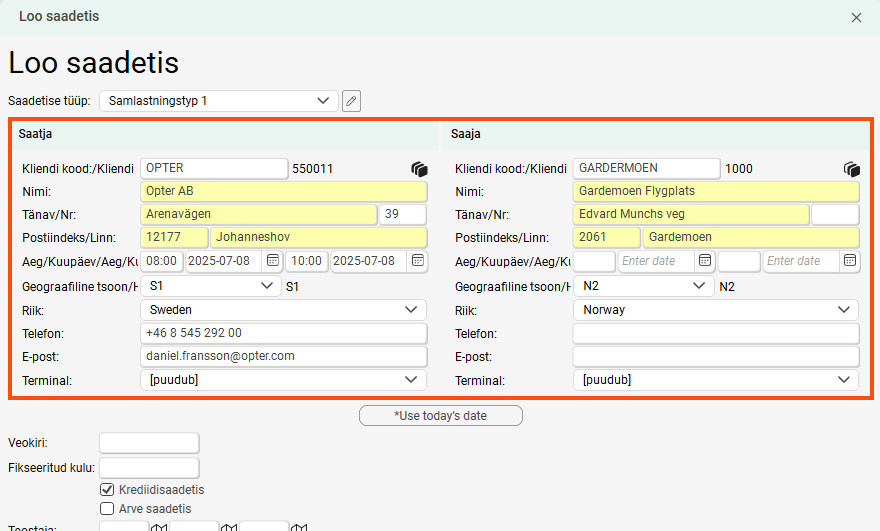
Customise the address fields
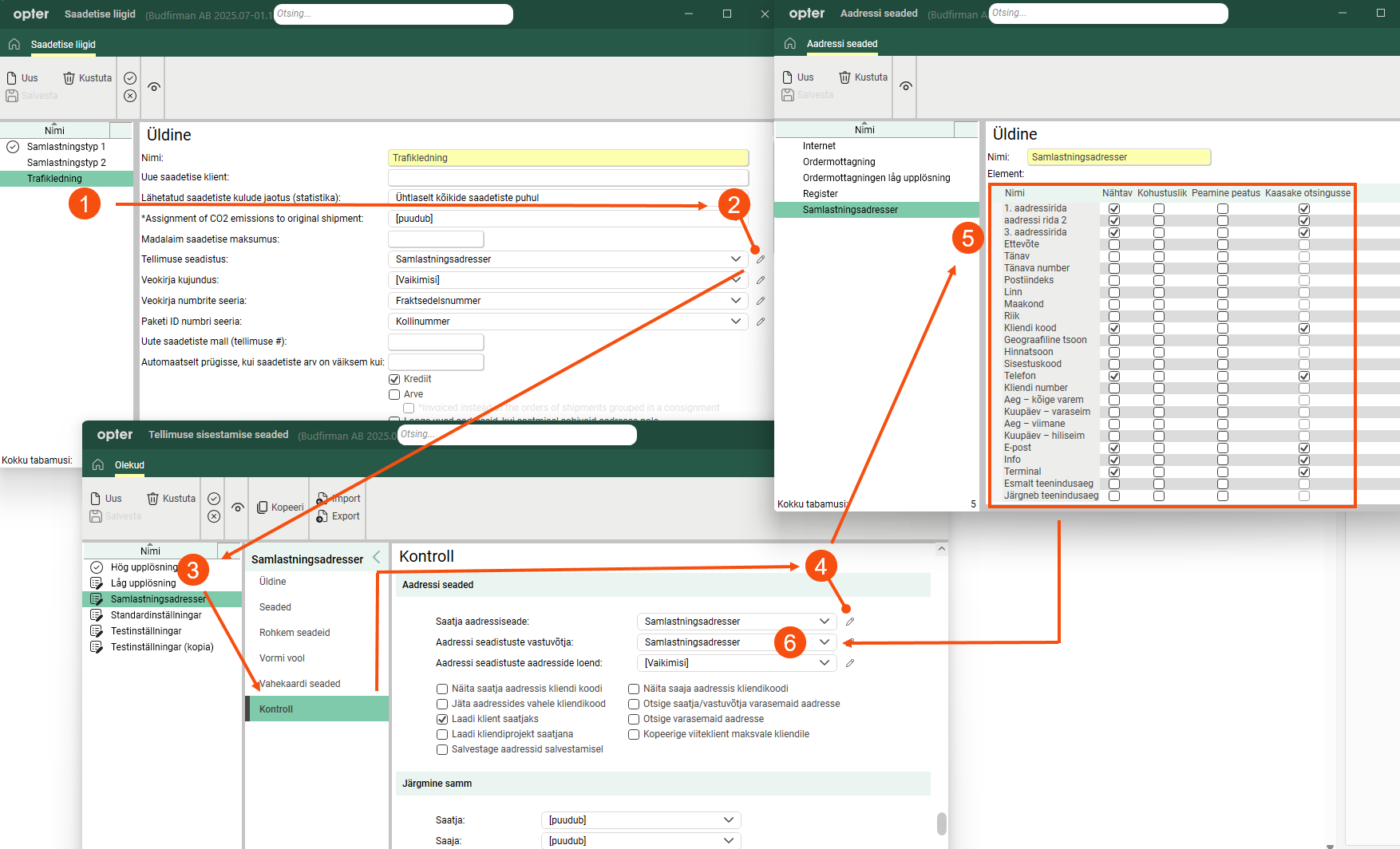
The easiest way to customise the address fields is to start from the consignment type. The settings are made in several different windows, but if you start from the consignment type, it will be a natural flow.
-
Click Seaded > Saadetise tüübid and select the consignment type for which you want to configure the address fields.
-
Click on
 next to the drop-down menu Tellimuse seadistus. The Tellimuse sisestamise seaded window opens.
 -
Here, you can either create a completely new order view or use an existing one by selecting it from the list and clicking Kopeeri in the menu. Of course, you can also change the address settings of an existing order view.
-
Go to the Kontroll tab and click on
next to Saatja aadressiseade. The Aadressi seaded window opens. -
Here, once again, you can either edit an existing address setting or create a new one by clicking Uus in the menu. Save and close the window when you are done.
-
In window Tellimuse sisestamise seaded, select the same address setting for Aadressi seadistuste vastuvõtja. Save and close the window and you will be returned to the consignment type where the new order view has been selected. Also save the consignment type.
The view you set for the consignment type is also used when you open the consignment order in Order reception. If you want different address settings for the order reception and the Loo saadetis window, you can copy the order view and name the copy, for example, “Domestic consignments (Create consignment)”. Change the address fields in the copy. Then copy the consignment type and set the order view "Domestic consignments (Create consignment)" on the copy. Then you have two identical consignment types, as close as on the order view. When you create a new consignment, you select the copy of the consignment type that contains the modified address settings, but the consignment order itself will have the same settings because the consignment type is identical.
Selecting the consignment type when creating the consignment order
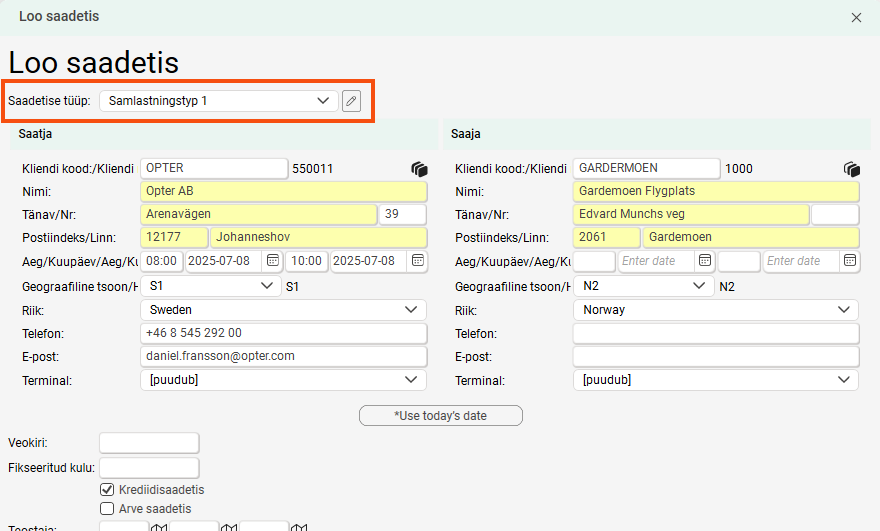
Select the shipments you want to consign in the dispatch system, right-click and select Ühenda saadetisega. Then click on Loo saadetis. At the top of the window, select the consignment type to which you set the address fields.
See also
-
(ordermottagningen)

