Customising the columns on the terminal web
Last updated: 25 October 2024
In this article
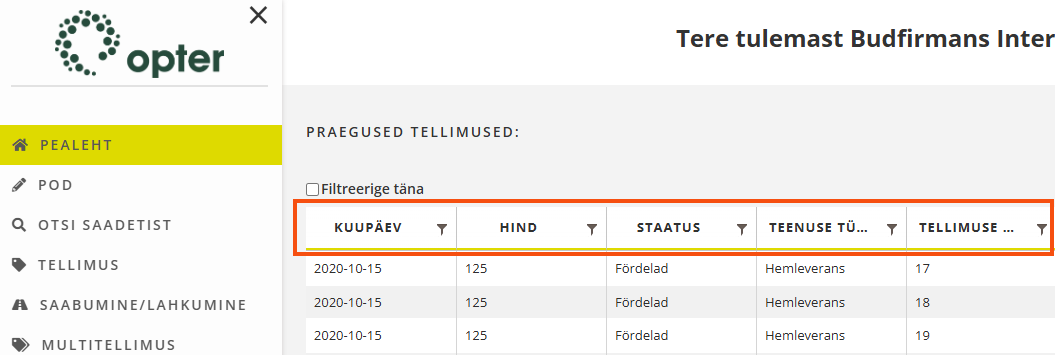
You can choose which columns to display on the main page and on the search page on the terminal web.
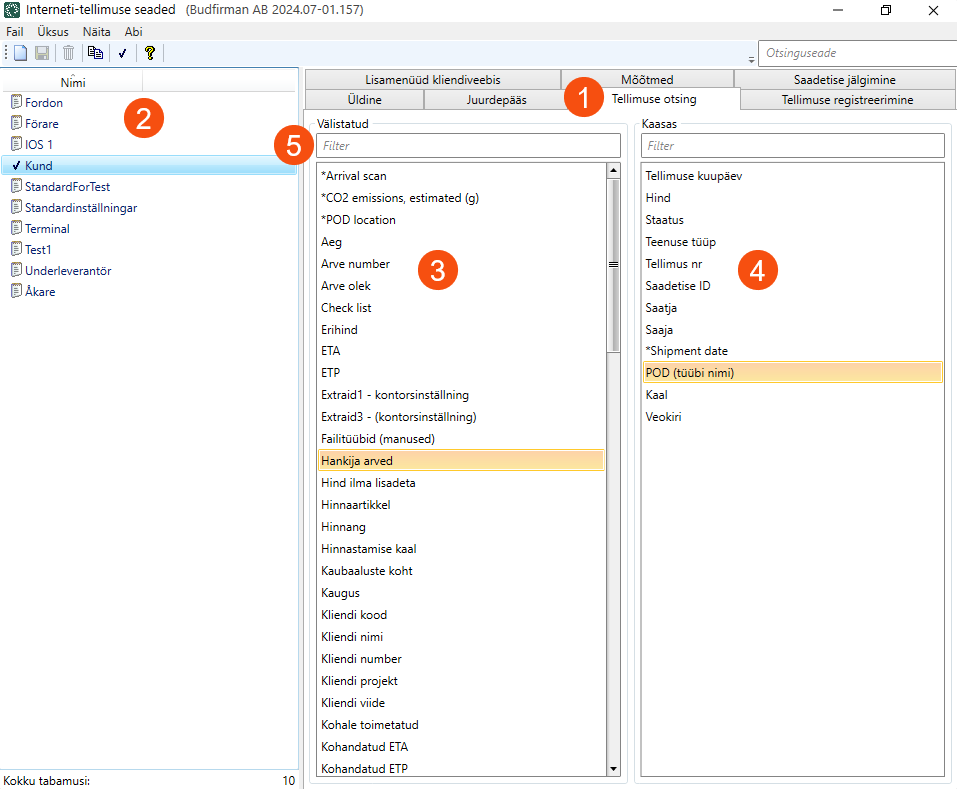
Click on Seaded > Internet > Interneti-tellimuse seaded > Tellimuse otsing tab (1) and select configuration from the list on the left (2).
The Välistatud list (3) contains the columns that can be displayed. The Kaasas list (4) contains the columns that are currently being displayed. Double-click on a column to move it to the other list.
Several columns can be moved at the same time by Ctrl-clicking or Shift-clicking on them and then pressing Enter to move them between the lists.
In the text fields above the lists, it is possible to search for the name of a column (5).
The columns can be reordered by dragging and dropping them in the list. To position a column further to the left, move it up the list. To position a column further to the right, move it down the list.